https://youtu.be/sjebkC7z774
2016年6月16日 星期四

2016年5月12日 星期四
2016年5月5日 星期四
week11_02611141陳筱瑀
1.下載kinect sdk & toolkit


確認KINECT準備好了

用KINECT FUSION 掃出結果

2.下載meshlab可以開啟kinect fusion存下的檔案

3.踢足球實作

import SimpleOpenNI.*;
SimpleOpenNI openni;
void setup(){
size(600,400);
openni = new SimpleOpenNI(this);
openni.enableRGB();
openni.enableDepth();
openni.enableUser();
}
void draw(){
openni.update();
image(openni.userImage(),0,0, 600,400);
for(int userId : openni.getUsers()){
PVector pos = new PVector(0,0,0);
float cofidence = openni.getJointPositionSkeleton(
userId,SimpleOpenNI.SKEL_HEAD,pos);
ellipse(pos.x, pos.y, 50,50);
println(pos);
}
}
void onNewUser(SimpleOpenNI openni,int userId){
openni.startTrackingSkeleton(userId);
}
偵測左腳踢球

import SimpleOpenNI.*;
SimpleOpenNI openni;
void setup(){
size(600,400);
openni = new SimpleOpenNI(this);
openni.enableRGB();
openni.enableDepth();
openni.enableUser();
}
float Xpos(PVector pos){
return width/2 + pos.x*500/pos.z;
}
float Ypos(PVector pos){
return height/2 - pos.y*500/pos.z;
}
void draw(){
openni.update();
image(openni.userImage(),0,0, 600,400);
for(int userId : openni.getUsers()){
PVector pos = new PVector(0,0,0);
float cofidence;
cofidence = openni.getJointPositionSkeleton(
userId,SimpleOpenNI.SKEL_LEFT_FOOT,pos);
ellipse(Xpos(pos),Ypos(pos), 50,50);
println(pos);
}
}
void onNewUser(SimpleOpenNI openni,int userId){
openni.startTrackingSkeleton(userId);
}


確認KINECT準備好了

用KINECT FUSION 掃出結果

2.下載meshlab可以開啟kinect fusion存下的檔案

3.踢足球實作

import SimpleOpenNI.*;
SimpleOpenNI openni;
void setup(){
size(600,400);
openni = new SimpleOpenNI(this);
openni.enableRGB();
openni.enableDepth();
openni.enableUser();
}
void draw(){
openni.update();
image(openni.userImage(),0,0, 600,400);
for(int userId : openni.getUsers()){
PVector pos = new PVector(0,0,0);
float cofidence = openni.getJointPositionSkeleton(
userId,SimpleOpenNI.SKEL_HEAD,pos);
ellipse(pos.x, pos.y, 50,50);
println(pos);
}
}
void onNewUser(SimpleOpenNI openni,int userId){
openni.startTrackingSkeleton(userId);
}
偵測左腳踢球

import SimpleOpenNI.*;
SimpleOpenNI openni;
void setup(){
size(600,400);
openni = new SimpleOpenNI(this);
openni.enableRGB();
openni.enableDepth();
openni.enableUser();
}
float Xpos(PVector pos){
return width/2 + pos.x*500/pos.z;
}
float Ypos(PVector pos){
return height/2 - pos.y*500/pos.z;
}
void draw(){
openni.update();
image(openni.userImage(),0,0, 600,400);
for(int userId : openni.getUsers()){
PVector pos = new PVector(0,0,0);
float cofidence;
cofidence = openni.getJointPositionSkeleton(
userId,SimpleOpenNI.SKEL_LEFT_FOOT,pos);
ellipse(Xpos(pos),Ypos(pos), 50,50);
println(pos);
}
}
void onNewUser(SimpleOpenNI openni,int userId){
openni.startTrackingSkeleton(userId);
}
2016年4月28日 星期四
week10_02161141陳筱瑀
1.下載kinect sdk 1.8
2.裝好kinect
3.import library kinect openni

可偵測彩色影像

SimpleOpenNI openni;
void setup(){
size(640,480);
openni = new SimpleOpenNI(this);
openni.enableRGB();
}
void draw(){
openni.update();
image(openni.rgbImage(),0,0);
}
可偵測彩色影像、深度值

import SimpleOpenNI.*;
SimpleOpenNI openni;
void setup(){
size(640,480);
openni = new SimpleOpenNI(this);
openni.enableRGB();
openni.enableDepth();
}
void draw(){
openni.update();
image(openni.rgbImage(),0,0);
image(openni.depthImage(),0,240,320,240);
}
2人對戰時可以用

import SimpleOpenNI.*;
SimpleOpenNI openni;
void setup(){
size(640,480);
openni = new SimpleOpenNI(this);
openni.enableRGB();
openni.enableDepth();
openni.enableUser();
}
void draw(){
openni.update();
image(openni.rgbImage(),0,0);
//image(openni.depthImage(),0,240,320,240);
image(openni.userImage(), 0,240+120, 320/2, 240/2);
}
可以去下載kinect toolkit有很多工具範例可以去試→kinect fusion
2.裝好kinect
3.import library kinect openni

可偵測彩色影像

SimpleOpenNI openni;
void setup(){
size(640,480);
openni = new SimpleOpenNI(this);
openni.enableRGB();
}
void draw(){
openni.update();
image(openni.rgbImage(),0,0);
}
可偵測彩色影像、深度值

import SimpleOpenNI.*;
SimpleOpenNI openni;
void setup(){
size(640,480);
openni = new SimpleOpenNI(this);
openni.enableRGB();
openni.enableDepth();
}
void draw(){
openni.update();
image(openni.rgbImage(),0,0);
image(openni.depthImage(),0,240,320,240);
}
2人對戰時可以用

import SimpleOpenNI.*;
SimpleOpenNI openni;
void setup(){
size(640,480);
openni = new SimpleOpenNI(this);
openni.enableRGB();
openni.enableDepth();
openni.enableUser();
}
void draw(){
openni.update();
image(openni.rgbImage(),0,0);
//image(openni.depthImage(),0,240,320,240);
image(openni.userImage(), 0,240+120, 320/2, 240/2);
}
可以去下載kinect toolkit有很多工具範例可以去試→kinect fusion
2016年4月24日 星期日
2016年3月24日 星期四
week06_02161141陳筱瑀
1.做出很多java視窗(https://forum.processing.org/one/topic/multiple-windows-2-4-2011.html)
code是舊版的,要加上import java.awt.Frame;才是新的
2.可以做出很多大眼睛會盯著滑鼠游標移動

1.眼珠子會轉動
void setup(){
size(120,100);
}
void draw(){
float t = frameCount/180.0*PI;
background(0);
fill(255);
ellipse(40,50,33,33);
ellipse(120-40,50,33,33);
fill(0);
ellipse(40+15*cos(t),50+15*sin(t), 5,5);
ellipse(120-40+15*cos(t),50+15*sin(t), 5,5);
}

1.眼珠子會跟著滑鼠游標移動
void setup(){
size(320,300);
}
void draw(){
//float t = frameCount/180.0*PI;
background(0);
fill(255);
ellipse(40,50,33,33);
ellipse(120-40,50,33,33);
fill(0);
float t=atan2(mouseY-50,mouseX-45);
ellipse(40+15*cos(t),50+15*sin(t), 5,5);
t=atan2(mouseY-50,mouseX-(120-40));
ellipse(120-40+15*cos(t),50+15*sin(t), 5,5);
}

有很多方框框的螺旋狀
void setup(){
size(600,600);
}
void draw(){
background(255);
float t=frameCount/100.0;
for(float f=0; f<PI; f+=0.1){
//rect(200+150*cos(f), 200+150*sin(f), 30,30);
rect(200+150*cos(f+t), f*100, 30, 30);
rect(200+150*cos(f+t+PI), f*100, 30, 30);
}
}
code是舊版的,要加上import java.awt.Frame;才是新的
2.可以做出很多大眼睛會盯著滑鼠游標移動

1.眼珠子會轉動
void setup(){
size(120,100);
}
void draw(){
float t = frameCount/180.0*PI;
background(0);
fill(255);
ellipse(40,50,33,33);
ellipse(120-40,50,33,33);
fill(0);
ellipse(40+15*cos(t),50+15*sin(t), 5,5);
ellipse(120-40+15*cos(t),50+15*sin(t), 5,5);
}

1.眼珠子會跟著滑鼠游標移動
void setup(){
size(320,300);
}
void draw(){
//float t = frameCount/180.0*PI;
background(0);
fill(255);
ellipse(40,50,33,33);
ellipse(120-40,50,33,33);
fill(0);
float t=atan2(mouseY-50,mouseX-45);
ellipse(40+15*cos(t),50+15*sin(t), 5,5);
t=atan2(mouseY-50,mouseX-(120-40));
ellipse(120-40+15*cos(t),50+15*sin(t), 5,5);
}

有很多方框框的螺旋狀
void setup(){
size(600,600);
}
void draw(){
background(255);
float t=frameCount/100.0;
for(float f=0; f<PI; f+=0.1){
//rect(200+150*cos(f), 200+150*sin(f), 30,30);
rect(200+150*cos(f+t), f*100, 30, 30);
rect(200+150*cos(f+t+PI), f*100, 30, 30);
}
}
2016年3月17日 星期四
week04_02161141陳筱瑀
今天要做兩個小遊戲:


1.射擊
2.打棒球


可以抓到食指
import de.voidplus.leapmotion.*;
LeapMotion leap;
void setup(){
size(600,400);
leap = new LeapMotion(this);
}
void draw(){
background(255);
for(Hand hand : leap.getHands() ){
Finger finger_index = hand.getIndexFinger();
finger_index.draw();
}
}

import de.voidplus.leapmotion.*;
LeapMotion leap;
void setup(){
size(600,400,P3D);
leap = new LeapMotion(this);
}
void draw(){
background(255);
for(Hand hand : leap.getHands() ){
Finger finger_index = hand.getIndexFinger();
finger_index.draw();
PVector pos = finger_index.getPosition();
PVector dir = finger_index.getDirection();
println(pos);
println(dir);
}
lights();
fill(0,255,0);
translate(width/2, height/2);///放到畫面中央
rotateY(radians(frameCount));///旋轉的話可以看出是3D的盒子
box(300,100,100);
}

import de.voidplus.leapmotion.*;
LeapMotion leap;
void setup(){
size(600,400,P3D);
leap = new LeapMotion(this);
}
PVector pos=null, dir=null;
void draw(){
background(255);
for(Hand hand : leap.getHands() ){
Finger finger_index = hand.getIndexFinger();
finger_index.draw();
pos = finger_index.getPosition();
dir = finger_index.getDirection();
println(pos);
println(dir);
}
lights();
fill(0,255,0);
pushMatrix();
translate(width/2, height/2);
for(int i=0;i<10;i++){
if(dir!=null) translate(dir.x*10*i, dir.y*10*i, dir.z*10*i);
sphere(40);
}
popMatrix();
//rotateY(radians(frameCount));
//box(300,100,100);
}

按任意鍵可以發射
最多只能發射10顆
import de.voidplus.leapmotion.*;
PVector pos=null, dir=null;
PVector []bullet=new PVector[10];
PVector []bullet_dir=new PVector[10];
int bulletNow=0;
LeapMotion leap;
void setup(){
size(600,400,P3D);
leap = new LeapMotion(this);
for(int i=0;i<10;i++){
bullet[i]=new PVector(0,0,0);
bullet_dir[i]=new PVector(0,0,0);
}
}
void draw(){
background(255);
for(Hand hand : leap.getHands() ){
Finger finger_index = hand.getIndexFinger();
finger_index.draw();
dir = finger_index.getDirection();
}
lights();
fill(0,255,0);
translate(width/2, height/2);
pushMatrix();
for(int i=0;i<10;i++){
if(dir!=null) translate(dir.x*10*i, dir.y*10*i, dir.z*10*i);
sphere(40);
}
popMatrix();
pushMatrix();
fill(0,0,255);
for(int i=0;i<10;i++){
pushMatrix();
translate(bullet[i].x, bullet[i].y, bullet[i].z);
sphere(41);
bullet[i].x += bullet_dir[i].x;
bullet[i].y += bullet_dir[i].y;
bullet[i].z += bullet_dir[i].z;
popMatrix();
}
popMatrix();
}
void keyPressed(){
bullet_dir[bulletNow].x = dir.x*5;
bullet_dir[bulletNow].y = dir.y*5;
bullet_dir[bulletNow].z = dir.z*5;
bulletNow++;
}

可以把發射過後的子彈回收回來再發射
import de.voidplus.leapmotion.*;
PVector pos=null, dir=null;
PVector []bullet=new PVector[10];
PVector []bullet_dir=new PVector[10];
int bulletNow=0;
LeapMotion leap;
void setup(){
size(600,400,P3D);
leap = new LeapMotion(this);
for(int i=0;i<10;i++){
bullet[i]=new PVector(0,0,0);
bullet_dir[i]=new PVector(0,0,0);
}
}
void draw(){
background(255);
for(Hand hand : leap.getHands() ){
Finger finger_index = hand.getIndexFinger();
finger_index.draw();
dir = finger_index.getDirection();
}
lights();
fill(0,255,0);
translate(width/2, height/2);
pushMatrix();
for(int i=0;i<10;i++){
if(dir!=null) translate(dir.x*10*i, dir.y*10*i, dir.z*10*i);
sphere(40);
}
popMatrix();
fill(0,0,255);
for(int i=0;i<10;i++){
pushMatrix();
translate(bullet[i].x, bullet[i].y, bullet[i].z);
sphere(41);
bullet[i].x += bullet_dir[i].x;
bullet[i].y += bullet_dir[i].y;
bullet[i].z += bullet_dir[i].z;
popMatrix();
}
}
void keyPressed(){
bullet[bulletNow].x =0; bullet[bulletNow].y=0; bullet[bulletNow].z=0;
bullet_dir[bulletNow].x = dir.x*5;
bullet_dir[bulletNow].y = dir.y*5;
bullet_dir[bulletNow].z = dir.z*5;
bulletNow++;
if(bulletNow>=10){
bulletNow=0;
}
}
打擊小遊戲


球碰擊到方塊
import de.voidplus.leapmotion.*;
LeapMotion leap;
PVector pos, dir, ball;
void setup(){
size(600,400,P3D);
leap = new LeapMotion(this);
pos = new PVector(300,200,0); ball= new PVector(0,0,0);
}
void draw(){
ball.x +=2; ball.y +=2;
for(Hand hand : leap.getHands()){
pos = hand.getPosition();
}
background(255);
fill(255,0,0);
pushMatrix();
translate(pos.x, pos.y, pos.z);
box(30,30,30);
popMatrix();
pushMatrix();
translate(ball.x, ball.y);
sphere(30);
if(dist(ball.x, ball.y, pos.x, pos.y)<30) background(255,0,0);
popMatrix();
}
2016年3月10日 星期四
week03_02161141陳筱瑀
1.先安裝Leap Motion Setuup軟體,然後下載Processing的library
2.將week02的程式碼複製
3.期中作品想做跳躍障礙物的小遊戲

只能先畫出2D的線
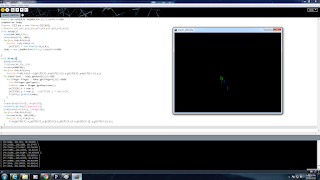
在3D中能邊旋轉邊畫線
import de.voidplus.leapmotion.*;//LeapMotion標頭檔
LeapMotion leap;
PVector [][] pt = new PVector[5][50];
//PVector pt1,pt2,pt3,pt4,pt5,pt6,pt7,pt8,pt9,pt10;
void setup(){
size(640,480,P3D);
colorMode(HSB, 100);
for(int f=0;f<5;f++)
for(int i=0;i<50;i++)
pt[f][i] = new PVector(0,0,0);
leap = new LeapMotion(this);//LeapMotion起始值
}
void draw(){
background(0);
//stroke(48,191,153);
stroke(#30BF99);
for(int f=0;f<5;f++)
for(int i=49;i>0;i--){pt[f][i].x=pt[f][i-1].x;pt[f][i].y=pt[f][i-1].y;}
for(Hand hand : leap.getHands()){//抓取手
for(Finger finger : hand.getFingers()){//抓取手指
int f=finger.getType();
PVector now = finger.getPosition();
pt[f][0].x = now.x;
pt[f][0].y = now.y; //pt[f][0].z = now.z*10;
if(f==1) println(now);
}
}
translate(width/2, height/2);
rotateY(radians(frameCount));
translate(-width/2, -height/2);
for(int f=0;f<5;f++){
stroke(f*20, 100,100);
for(int i=1;i<10;i++)
line(pt[f][i].x,pt[f][i].y,pt[f][i].z,pt[f][i-1].x,pt[f][i-1].y,pt[f][i-1].z);
}
}


可以偵測左右手並畫出橢圓及長方形
import de.voidplus.leapmotion.*;//LeapMotion標頭檔
LeapMotion leap;
void setup() {
size(640, 480, P3D);
leap = new LeapMotion(this);
}
void draw(){
background(255);
for (Hand hand : leap.getHands ()) {
PVector pos= hand.getPosition();
if( hand.isLeft() ){
ellipse(pos.x, pos.y, 200, 100);
}else if( hand.isRight() ){
rect(pos.x, pos.y, 10, 100);
}
}
}

2.將week02的程式碼複製
3.期中作品想做跳躍障礙物的小遊戲

只能先畫出2D的線

在3D中能邊旋轉邊畫線
import de.voidplus.leapmotion.*;//LeapMotion標頭檔
LeapMotion leap;
PVector [][] pt = new PVector[5][50];
//PVector pt1,pt2,pt3,pt4,pt5,pt6,pt7,pt8,pt9,pt10;
void setup(){
size(640,480,P3D);
colorMode(HSB, 100);
for(int f=0;f<5;f++)
for(int i=0;i<50;i++)
pt[f][i] = new PVector(0,0,0);
leap = new LeapMotion(this);//LeapMotion起始值
}
void draw(){
background(0);
//stroke(48,191,153);
stroke(#30BF99);
for(int f=0;f<5;f++)
for(int i=49;i>0;i--){pt[f][i].x=pt[f][i-1].x;pt[f][i].y=pt[f][i-1].y;}
for(Hand hand : leap.getHands()){//抓取手
for(Finger finger : hand.getFingers()){//抓取手指
int f=finger.getType();
PVector now = finger.getPosition();
pt[f][0].x = now.x;
pt[f][0].y = now.y; //pt[f][0].z = now.z*10;
if(f==1) println(now);
}
}
translate(width/2, height/2);
rotateY(radians(frameCount));
translate(-width/2, -height/2);
for(int f=0;f<5;f++){
stroke(f*20, 100,100);
for(int i=1;i<10;i++)
line(pt[f][i].x,pt[f][i].y,pt[f][i].z,pt[f][i-1].x,pt[f][i-1].y,pt[f][i-1].z);
}
}

import de.voidplus.leapmotion.*;//LeapMotion標頭檔
LeapMotion leap;
PVector [][] pt = new PVector[5][50];
//PVector pt1,pt2,pt3,pt4,pt5,pt6,pt7,pt8,pt9,pt10;
void setup() {
size(640, 480, P3D);
colorMode(HSB, 100);
for (int f=0; f<5; f++)
for (int i=0; i<50; i++)
pt[f][i] = new PVector(0, 0, 0);
leap = new LeapMotion(this);//LeapMotion起始值
}
void draw() {
background(0);
//stroke(48,191,153);
stroke(#30BF99);
for (int f=0; f<5; f++)
for (int i=49; i>0; i--) {
pt[f][i].x=pt[f][i-1].x;
pt[f][i].y=pt[f][i-1].y;
}
for (Hand hand : leap.getHands ()) {//抓取手
for (Finger finger : hand.getFingers ()) {//抓取手指
int f=finger.getType();
PVector now = finger.getPosition();
pt[f][0].x = now.x;
pt[f][0].y = now.y;
pt[f][0].z = now.z*2-90;
if (f==1) println(now);
}
}
translate(width/2, height/2.0);
rotateY(radians(frameCount/4.0));
translate(-width/2, -height/2.0);
for (int f=0; f<5; f++) {
stroke(f*20, 100, 100);
for (int i=1; i<50; i++) //數值越大殘影越長
line(pt[f][i].x, pt[f][i].y, pt[f][i].z, pt[f][i-1].x, pt[f][i-1].y, pt[f][i-1].z);
}
stroke(60, 100, 100);
for (int i=0; i<640; i+=20)
for (int j=0; j<480; j+=20) {
noFill();
rect(i, j, 20, 20);
}
}
調色盤

可以偵測左右手並畫出橢圓及長方形
import de.voidplus.leapmotion.*;//LeapMotion標頭檔
LeapMotion leap;
void setup() {
size(640, 480, P3D);
leap = new LeapMotion(this);
}
void draw(){
background(255);
for (Hand hand : leap.getHands ()) {
PVector pos= hand.getPosition();
if( hand.isLeft() ){
ellipse(pos.x, pos.y, 200, 100);
}else if( hand.isRight() ){
rect(pos.x, pos.y, 10, 100);
}
}
}

長條碰到黃色橢圓區塊會變成黃色
import de.voidplus.leapmotion.*;//LeapMotion標頭檔
LeapMotion leap;
void setup() {
size(640, 480, P3D);
leap = new LeapMotion(this);
}
color nowColor = color(255,0,0);
PVector leftPos;
void draw(){
background(255);
for (Hand hand : leap.getHands ()) {
PVector pos= hand.getPosition();
if( hand.isLeft() ){
noFill(); ellipse(pos.x, pos.y, 200, 100);
fill(255,0,0); ellipse(pos.x+150, pos.y, 60, 50);
fill(255,255,0); ellipse(pos.x+120, pos.y-40, 60, 50);
fill(0,255,0); ellipse(pos.x+90, pos.y-60, 60, 50);
fill(0,0,255); ellipse(pos.x+30, pos.y-60, 60, 50);
fill(255,0,255); ellipse(pos.x-20, pos.y-60, 60, 50);
leftPos = pos;
}else if( hand.isRight() ){
fill(nowColor); rect(pos.x, pos.y, 10, 100);
println(leftPos);
println(pos);
if(dist(pos.x, pos.y, leftPos.x+120, leftPos.y-40) <30){
nowColor = color(255,255,0);
}
}
}
}
LeapMotion leap;
void setup() {
size(640, 480, P3D);
leap = new LeapMotion(this);
}
color nowColor = color(255,0,0);
PVector leftPos;
void draw(){
background(255);
for (Hand hand : leap.getHands ()) {
PVector pos= hand.getPosition();
if( hand.isLeft() ){
noFill(); ellipse(pos.x, pos.y, 200, 100);
fill(255,0,0); ellipse(pos.x+150, pos.y, 60, 50);
fill(255,255,0); ellipse(pos.x+120, pos.y-40, 60, 50);
fill(0,255,0); ellipse(pos.x+90, pos.y-60, 60, 50);
fill(0,0,255); ellipse(pos.x+30, pos.y-60, 60, 50);
fill(255,0,255); ellipse(pos.x-20, pos.y-60, 60, 50);
leftPos = pos;
}else if( hand.isRight() ){
fill(nowColor); rect(pos.x, pos.y, 10, 100);
println(leftPos);
println(pos);
if(dist(pos.x, pos.y, leftPos.x+120, leftPos.y-40) <30){
nowColor = color(255,255,0);
}
}
}
}
2016年3月3日 星期四
week02_02161141陳筱瑀

2.利用滑鼠控制畫出線條


2.在開啟color selector
3.複製數值#FF8000
4.就可以畫出想要的顏色線條


1.可以成功用五根手指畫出五段不同顏色的線條
import de.voidplus.leapmotion.*; LeapMotion leap; PVector [][] pt = new PVector[5][100]; void setup(){ size(640,480, P3D); for(int f=0;f<5;f++){ for(int i=0;i<100;i++) pt[f][i] = new PVector(0,0,0); } leap = new LeapMotion(this); colorMode(HSB,100); } void draw(){ background(0); for(int f=0;f<5;f++){ for(int i=99;i>0;i--){ pt[f][i].x=pt[f][i-1].x; pt[f][i].y=pt[f][i-1].y;} } for(Hand hand : leap.getHands() ){ for(Finger finger : hand.getFingers() ){ int f=finger.getType(); PVector now = finger.getPosition(); pt[f][0].x=now.x; pt[f][0].y=now.y; } } for(int f=0;f<5;f++){ stroke(f*20, 100, 100); for(int i=1;i<100;i++) line(pt[f][i].x, pt[f][i].y, pt[f][i].z, pt[f][i-1].x, pt[f][i-1].y, pt[f][i-1].z); } }
2016年2月25日 星期四
week01_02161141陳筱瑀


import de.voidplus.leapmotion.*;
LeapMotion leap;
void setup() {
size(800,600);
leap= new LeapMotion(this);
}
void draw(){
background(255);
for(Hand hand : leap.getHands()){
hand.draw();
}
}
訂閱:
文章 (Atom)